
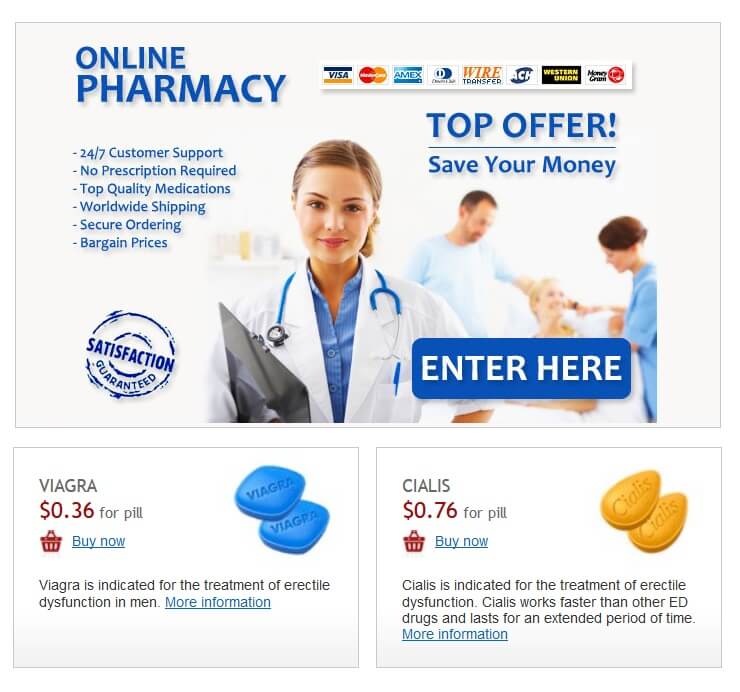
Check for website security features. Look for “https” in the URL and a padlock icon in your browser’s address bar. This indicates a secure connection protecting your data.
Verify the pharmacy’s license and registration. Legitimate online pharmacies display their license information prominently. Independent verification through your state’s board of pharmacy or similar regulatory body provides extra assurance. Avoid sites lacking transparency.
Scrutinize the pharmacy’s contact information. A physical address and phone number increase accountability. Be wary of pharmacies providing only email contact.
Examine the website’s design and content. A professional, well-maintained site with accurate, up-to-date information suggests credibility. Conversely, poorly designed sites with grammatical errors or outdated information raise red flags.
Read customer reviews and testimonials. Reputable pharmacies encourage feedback. Look for patterns in reviews – both positive and negative. Consider using multiple review aggregators for a balanced perspective.
| Website Security | HTTPS and padlock icon | HTTP only, no padlock |
| Licensing | Clearly displayed license information | No license information visible |
| Contact Info | Physical address and phone number | Only email address provided |
| Website Quality | Professional design, accurate information | Poor design, grammatical errors, outdated information |
| Customer Reviews | Mostly positive reviews from verified users | Few or overwhelmingly negative reviews |
Always consult your doctor before ordering medication online. They can help determine if online pharmacies are appropriate for your needs and offer guidance on safe medication practices.